

PointerCam vs Scribe
A Scribe alternative that records the video too.
Scribe turns your clicks into step-by-step guides kept in its cloud. PointerCam turns one recording into the guide and a screen video with close-ups, keeps both as files on your computer, and exports PDF and Word on the free plan.
Choose Scribe if
- Your team keeps its guides in one shared place, with links, embeds, comments and version history.
- You want guides made from work you already did, with Scribe’s AI autocapture.
- You need Confluence, single sign-on, enforced redaction of personal data, or translated guides.
Choose PointerCam if
- You want PDF and Word without paying. Scribe’s free plan has neither, and PointerCam’s has both, with a small mark.
- You also want a screen video with your voice and a close-up on each click, from the same take.
- You’re new to editing video. The editor opens in Simple, with the close-ups already placed and the video ready to export.
- You document Mac apps without paying. Scribe captures desktop apps on Pro, and PointerCam’s Mac app is free.
- You’d rather keep guides as files on your computer, with no account.
Side by side
PointerCam and Scribe, row by row.
Price, the free plan, where each records, and what you get from one recording.
Scribe’s side is from scribe.com/pricing on 15 October 2026. PointerCam’s is from our pricing.
PDF and Word on the free plan
On Scribe’s free Basic plan, guides stay in the browser and are shared by link or embed. PDF, Word, HTML and Markdown export start on Pro Personal, at $25 a month billed yearly.
PointerCam exports a guide as PDF, Word, a web page or Markdown on the free plan, with a small PointerCam mark, and guides have no length limit. Studio removes the mark.
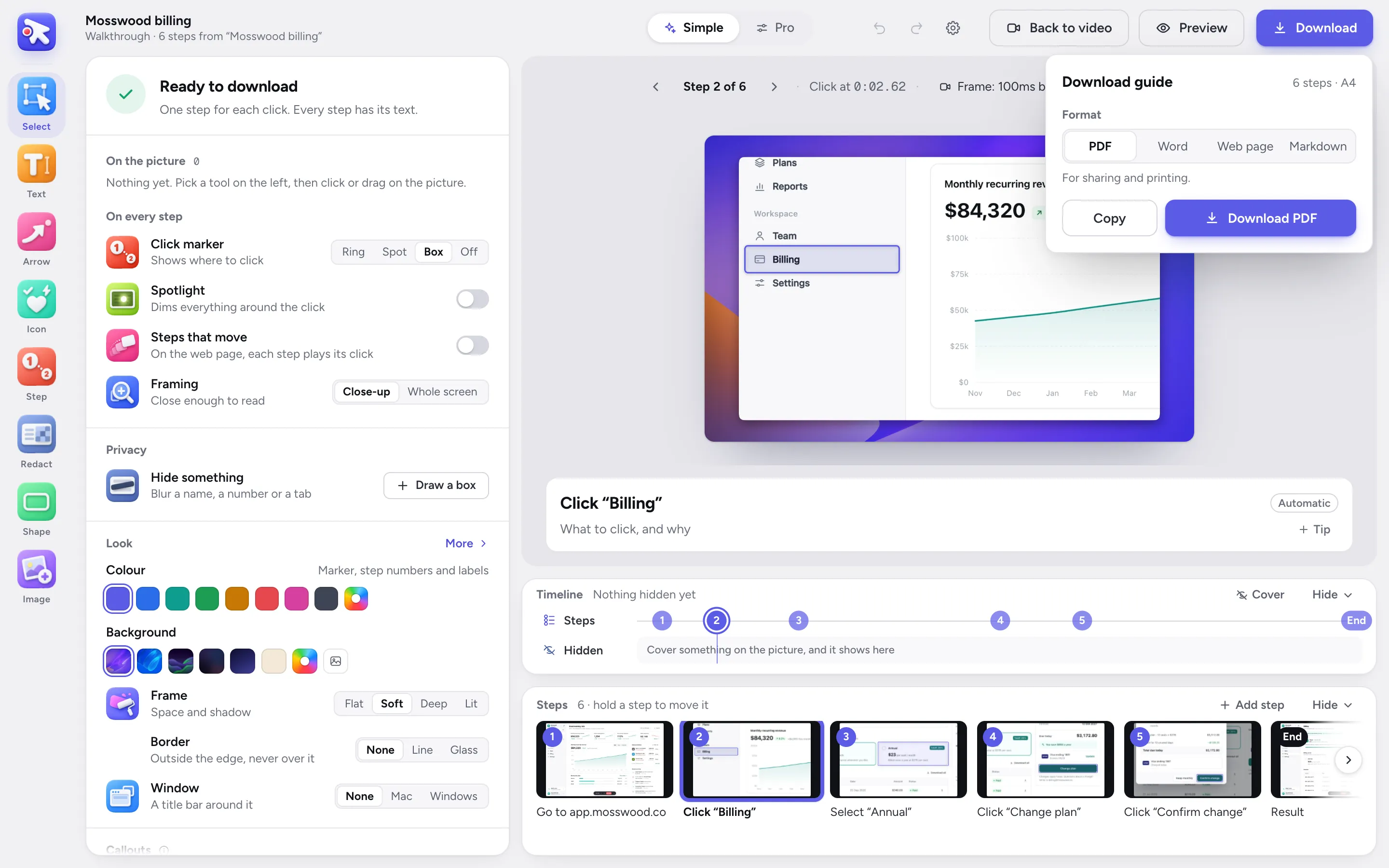
The guide editor’s Download sheet.
The video comes with it
PointerCam records the screen itself: your voice, your camera if you want it, and the pointer, sampled 120 times a second. The same take becomes the guide and a video with a close-up on each click, so a process can be read or watched.
Scribe lists “Share as video” on every plan, for a guide it has made.
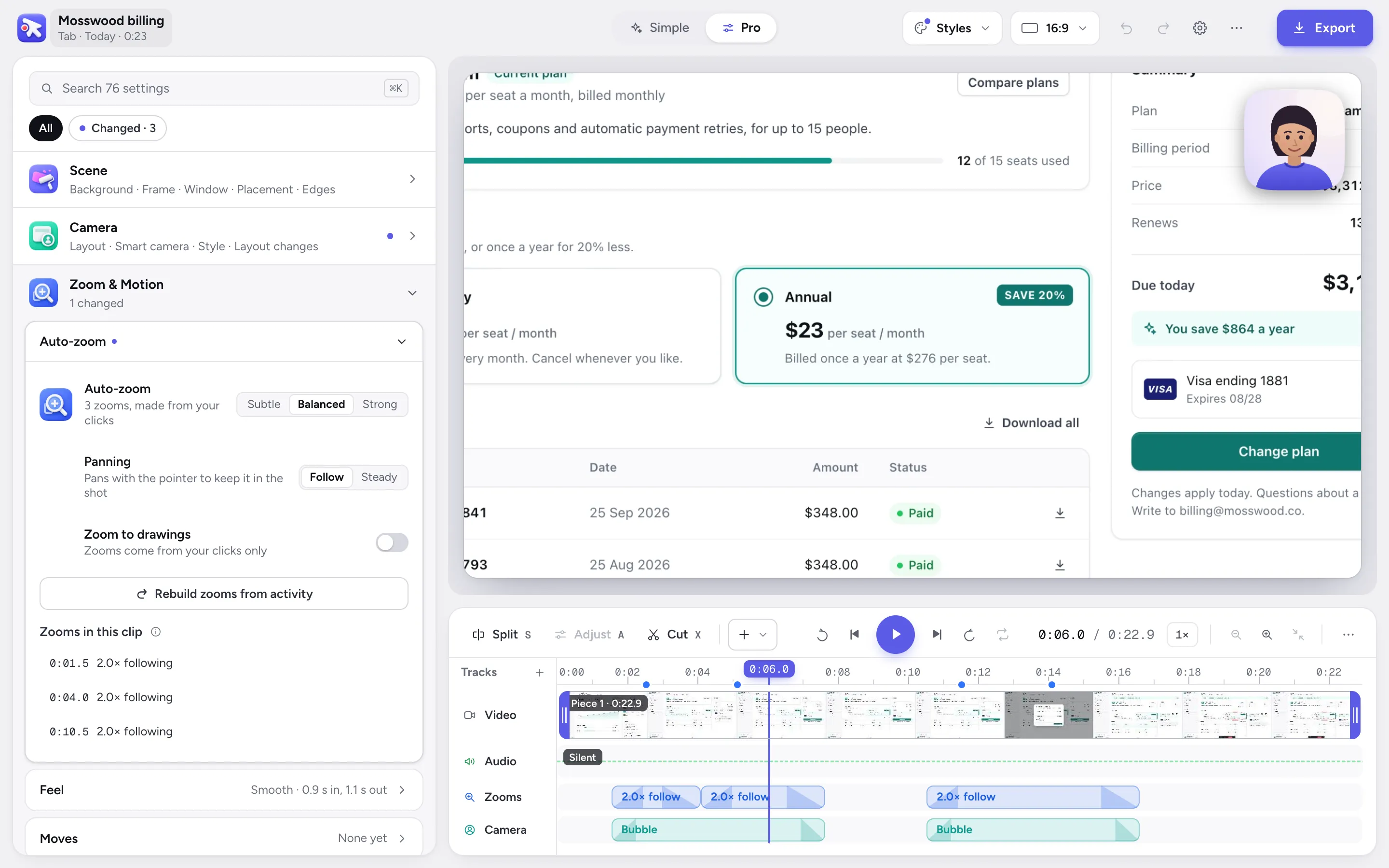
The video editor, with a close-up placed on each click.
An editor made for your first video
PointerCam opens a recording already finished: close-ups on your clicks, every click marked, ready to export. The editor starts in Simple, which shows what was done and the choices most videos make, one row each, like zoom strength, captions or the background.
The first time you open it, a short tour points out each part. When you want more, Pro lays out every setting, and ⌘K finds any of them by what it changes or by a problem you type, like “silence”.
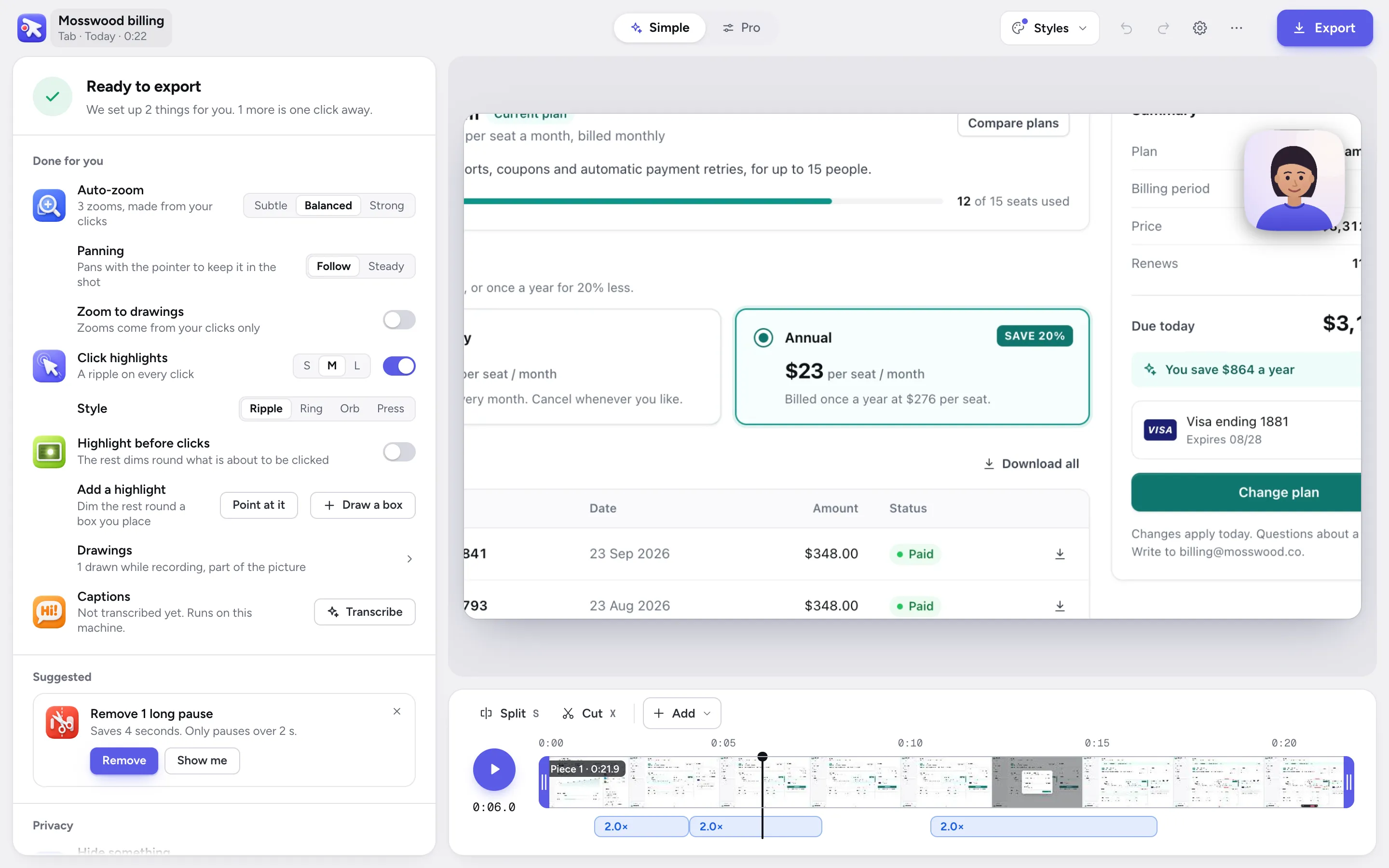
The video editor in Simple.
Steps written for you
Every PointerCam step already says what you clicked, like Click “Billing”, with a close-up of the screen and a box round what you pressed, and a last step shows where you ended up. In the Mac app the names come from Accessibility.
Change any words, add sections, tips and warnings, and drop the steps you don’t need. Anything you hid in the video stays hidden in every step it shows up in.
Where Scribe is the better pick
Scribe is built for teams that keep their processes in one place: a shared workspace with links, embeds, comments and version history, AI that makes guides from work already done, and on Enterprise, single sign-on, enforced redaction of personal data and translations.
PointerCam has no workspace or hosting of its own. It makes files, and you keep them where your team already keeps its documents.
Questions
 Questions
What people ask.
PointerCam exports guides as PDF, Word, a web page or Markdown on its free plan, with a small mark. Scribe’s free plan shares guides by link and embed, and its PDF and Word export are on Pro.
More comparisons
No more plain screen recordings.
Make your next demo, tutorial or client update with PointerCam. It is free to try, needs no account, and nothing leaves your computer.
Only about PointerCam, and every email has an unsubscribe link. Privacy
Free to try · No account · Nothing uploadedOpen the web editor