

Screen Studio alternatives
Screen Studio alternatives for Windows and Chrome.
Screen Studio is a Mac app, and its FAQ says Windows is not in its near-future plans. These seven tools zoom in on your clicks on Windows, in Chrome, or both, each listed with facts read from its own site. We make PointerCam, so it comes first; the rest follow in alphabetical order.
Each tool’s facts are from its own site, read on 15 October 2026, with the pages under each tool below. PointerCam’s are from our pricing.
PointerCam
Best for: Chrome on Windows, with a guide from the same take
PointerCam’s Chrome extension records a tab, a window or your whole screen in Chrome on Windows or a Mac, with a close-up on each click you make on a web page. On a Mac, its app records any app. Every recording also becomes a step-by-step guide.
The free plan exports 10-minute videos at up to 1080p with a small mark.
We make PointerCam. Its facts are from our pricing.
Camtasia
Best for: A full editor on Windows
Camtasia runs on Windows 10 and 11 as well as the Mac, with a multitrack timeline, AI auto zoom and pan, editing by transcript and webcam background removal.
Its free editor exports with a watermark, and Essentials is $179 a year according to TechSmith.
Camtasia’s facts are from techsmith.com/camtasia, its features, its store, its price in US dollars on 15 October 2026.
Canvid
Best for: A one-time license on Windows
Canvid is an app for Windows and Apple-silicon Macs that zooms in on every click, cleans up your voice and blurs or swaps your webcam’s background.
Exporting needs a license: $75 once, or Pro at $7 a month billed yearly.
Canvid’s facts are from canvid.com, canvid.com/pricing, system requirements on 15 October 2026.
Cursorful
Best for: Chrome, Edge or Brave, free for personal use
Cursorful records in Chrome, Edge and Brave on Windows, Mac and Linux, free with no watermark for non-commercial use.
Pro, $79 a seat once at its launch price, adds Windows and Mac apps, your microphone and camera, and 4K.
Cursorful’s facts are from cursorful.com on 15 October 2026.
FocuSee
Best for: Windows videos with typing zooms and phone recording
FocuSee’s Windows and Mac apps zoom in on clicks and typing, record phones and tablets, and remove your webcam’s background.
Its trial exports one video. Standard is $49.99 a year or $19.99 a month.
FocuSee’s facts are from focusee.imobie.com, its pricing, its prices in US dollars, tech specs on 15 October 2026.
Screenity
Best for: A free, open-source Chrome recorder
Screenity’s Chrome extension records with no watermark or time limit, for free. Its zooms on your clicks, captions and share links come with the editor in its cloud.
The editor is $10 a month billed yearly or $14 monthly.
Screenity’s facts are from screenity.io, screenity.io/extension on 15 October 2026.
Tella
Best for: Share links and editing by transcript, on Windows too
Tella has apps for Windows and Mac, a Chrome extension and a recorder in the browser, with Auto Zoom on every plan. Like Screen Studio, it edits by transcript and shares by link with comments.
It has a 7-day trial and no free plan. Pro is $13 a user a month billed yearly.
Tella’s facts are from tella.com/pricing, tella.com on 15 October 2026.
What you give up from Screen Studio
Screen Studio records iPhones and iPads over a cable, edits by transcript, cuts your webcam out of its background and shares by link with comments and view counts.
Of the tools here, Tella and Camtasia also edit by transcript, FocuSee records phones and tablets, Camtasia, Canvid and FocuSee remove your webcam’s background, and Tella, Canvid and FocuSee make share links.
An editor made for your first video
PointerCam opens a recording already finished: close-ups on your clicks, every click marked, ready to export. The editor starts in Simple, which shows what was done and the choices most videos make, one row each, like zoom strength, captions or the background.
The first time you open it, a short tour points out each part. When you want more, Pro lays out every setting, and ⌘K finds any of them by what it changes or by a problem you type, like “silence”.
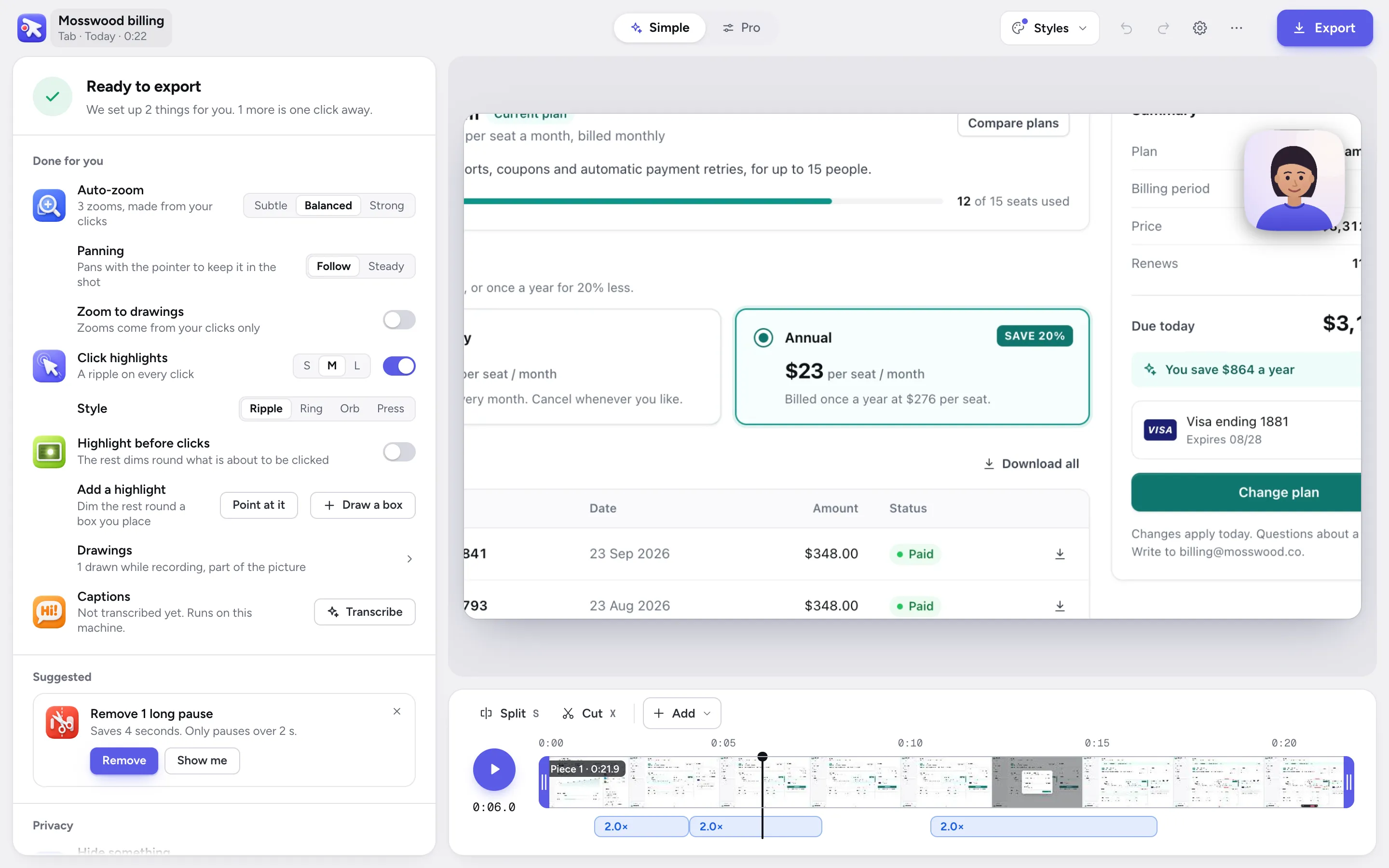
The video editor in Simple.
Questions
 Questions
What people ask.
No. Screen Studio runs only on macOS, and its FAQ says there are no near-future plans for Windows. Camtasia, Canvid, FocuSee and Tella have Windows apps, and PointerCam, Cursorful and Screenity record in Chrome on Windows.
More comparisons
No more plain screen recordings.
Make your next demo, tutorial or client update with PointerCam. It is free to try, needs no account, and nothing leaves your computer.
Only about PointerCam, and every email has an unsubscribe link. Privacy
Free to try · No account · Nothing uploadedOpen the web editor